
Comparing Software Tools: Zoho vs Teamwork
Finding the right project management software tool to handle your tasks can make a huge difference in your productivity and efficiency at work, whether you’re a small start-up or a multinational corporation. Today, we will delve deeper into two popular software options: Zoho and Teamwork.
Zoho
Zoho is an online office suite that contains word processing, spreadsheets, presentations, databases, note-taking, wikis, web conferencing, customer relationship management (CRM), project management, invoicing, and other tools.
Teamwork
Teamwork, on the other hand, is an online project management software that helps teams collaborate and deliver high-performance results. It provides various integrated tools that help in project planning, team collaboration, and boosting productivity.
Comparison of Product Features
Zoho extends a wide range of features that help in virtually every business process. From communication tools and project collaboration to finance and human resources, Zoho has got it all covered. It provides a well-crafted interface with the functionality to share and collaborate on documents, host webinars, manage emails, offer customer support, and even run marketing campaigns.
Teamwork primarily focuses on the project management side of things. It’s got great fundamentals for planning and collaboration such as to-do lists, milestones, messaging within the team, file uploads, and time logging. Moreover, it also provides features like Gantt chart capabilities, risk registers, robust project templates, and portfolio management.
Pricing Overview
Zoho Pricing
Zoho offers a freemium model with its most basic features being available for free. Upgrades with access to additional functionalities start from $4 per user/month and can go up to $20 per user/month for the most extensive suite.
Teamwork Pricing
Similarly, Teamwork provides a limited free version but its premium packages range from $9 per user/month to $24 per user/month.
Common Uses
Zoho is advantageous for businesses in need of an all-in-one solution. Whether you’re a small business wanting to manage your finances, or a large enterprise looking for customer service solutions, there’s something for everyone.
In contrast, Teamwork shines in scenarios where the focus lies strictly upon project management and team collaboration. Teams can effectively share ideas, track project updates, manage and prioritize tasks, and a lot more.
Problems Each Can Solve
If your business struggles with unorganized workflow, ineffective communication channels, or lacks a comprehensive business software toolset, Zoho could be the solution. Its connectivity and multitude of functionalities are a one-stop shop to combat these issues.
Teamwork, on the other hand, is for those looking for a strategically designed software tailored to project management. If your team is losing track of deadlines, missing essential project updates, or simply needs an avenue to collaborate more effectively, Teamwork could be a great fit.
Finally, let’s visualize it all with a table comparing Zoho and Teamwork:
| Product Feature | Zoho | Teamwork |
|---|---|---|
| Collaboration Tools | ✓ | ✓ |
| Gantt Charts | ✓ | ✓ |
| Invoice/ Billing | ✓ | x |
| Customer Support | ✓ | x |
| Robust Project Templates | x | ✓ |
| Pricing (Per User/Month) | $4 to $20 | $9 to $24 |
When choosing between Zoho and Teamwork, consider your business’s specific needs and priorities. Both the software solutions are designed to help your business excel, so select the one that best caters to your requirements and isn’t too weighty on the pocket. Good luck with your choice!
A Deep Dive into Zoho’s Offerings and Capabilities
When it comes to offering an all-in-one suite for businesses, Zoho is a standout leader. The service provides various digital tools designed to boost productivity, streamline operations, and foster business growth. Let’s delve into the workings, benefits, and pricing of Zoho’s services.
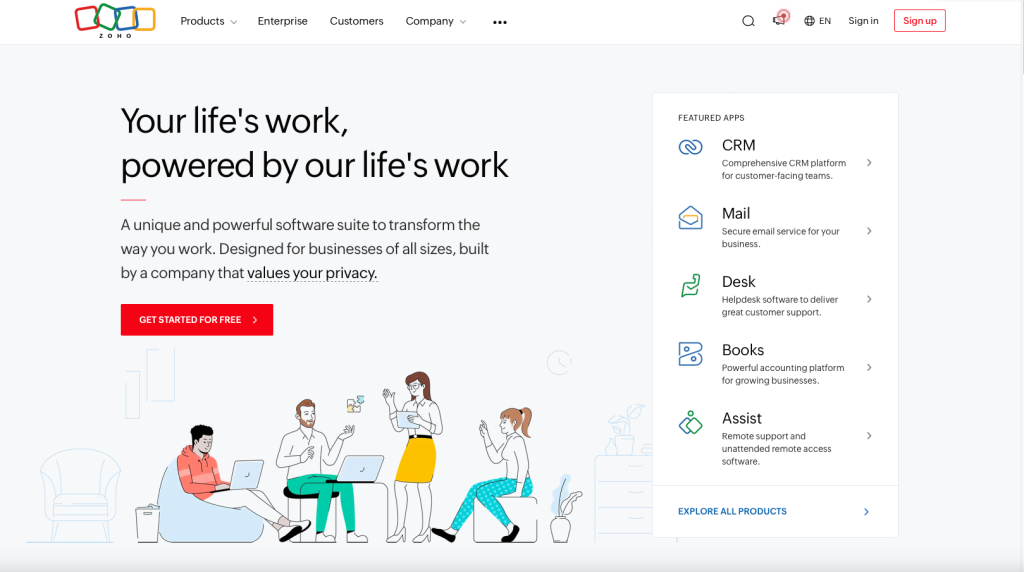
What Exactly is Zoho?
Zoho is a Software-as-a-Service (SaaS) company that provides cloud-based software to businesses of all shapes and sizes. With an impressive array of over 40 integrated applications, Zoho specializes in areas such as CRM, office suite, email hosting, project management, and much more.
The platform caters to businesses’ unique needs, delivering personalized solutions that tackle specific pain points. Whether you’re a solopreneur or a corporate entity, Zoho ensures you have what you need to thrive in an ever-digital and competitive business landscape. If you want to learn more about Zoho and how it can help your business, check out our latest review.
The Solutions Zoho Provides
Customer Relationship Management (CRM)
Zoho’s CRM tool facilitates streamlined interaction and communication with customers. It assists businesses in managing relationships, keeping track of every interaction, and converting more leads.
Zoho Office Suite
The Zoho Office Suite is an alternative to Microsoft Office. It includes word processing, spreadsheet, presentation, and database applications. This makes collaboration and document sharing quick, easy, and efficient.
Email Hosting
Zoho’s email hosting provides businesses with professional, custom domain-based email addresses, improving any company’s reputation and credibility.
How Zoho Works
Zoho’s comprehensive suite is built around integration and communication. Each tool communicates seamlessly with the others, alleviating the problems of data silos and disjointed workflow. For instance, information logged in the CRM can automatically be used within the email marketing tool or project management system.
Zoho Pricing
As for pricing, Zoho offers a variety of plans from free offerings to premium subscriptions. Most applications offer a free version with basic features, while more advanced tools and capabilities come at various pricing tiers.
Zoho CRM, for instance, starts at $12/user/month for the Standard package and peaks at $45/user/month for the Ultimate package. The Zoho mail hosting is free for up to 5 users, after which the cost is $1/user/month.
Specific pricing will depend on the exact services required, the number of users, and the level of functionality needed.
Zoho’s Feature List
| Features | Description |
|---|---|
| CRM | Manages customer relationships and streamlines lead conversion. |
| Office Suite | A comprehensive alternative to Microsoft Office – includes word processing, spreadsheet, presentation, and database applications. |
| Email Hosting | Professional, custom domain-based email address for businesses. |
| Collaboration Tools | These tools facilitate teamwork, efficient communication, and streamlined operations. |
| Project Management | Helps in planning, tracking, and collaborating on projects. |
| Finance Suite | A comprehensive set of tools for managing business finances and bookkeeping. |
In summary, Zoho is an all-round digital solution designed to help businesses thrive. The service solves many challenges faced by businesses, especially those relating to productivity, internal collaboration, and customer relations. Its scalable pricing model also ensures a fair and reasonable cost, making it accessible for businesses at every level.
Getting to Know Teamwork: A Comprehensive Review
Are you overwhelmed by tasks, projects, or deadlines colliding at every turn? Do your team members struggle to stay on track due to insufficient planning tools? If so, you’re not alone. This is exactly where Teamwork comes in. Teamwork is an all-inclusive project management solution designed to help teams of all sizes improve collaboration, visibility, accountability, and ultimately, productivity. Let’s drill more deeply into how this dynamic platform operates, the real-world issues it resolves, and its pricing model.

What is Teamwork All About?
Teamwork is a dynamic, online project management software that allows for effortless collaboration and organization. Designed to smoothen the process of project execution, Teamwork equips teams with a centralized platform to plan, track, and collaborate on projects in an efficient manner. Whether it’s task allocation, time tracking, generation of reports or communication, Teamwork offers all these features…and much more! If you want to learn more about how Teamwork can assist your project management team, read out recent review of Teamwork’s features.
How Does Teamwork Work?
The fundamental aim of Teamwork is to streamline the process of project management. It’s designed as a hub, bringing together all your projects, communication, files, and resources in one easy-to-use, intuitive tool. You can create individual tasks, allocate them to team members, set deadlines, track progress, communicate through project messages, and share files. All of these tasks can be performed without leaving the Teamwork environment, which supports an efficient and seamless workflow.
Problem-solving with Teamwork
Teamwork effectively resolves a host of issues that teams often encounter:
1. Miscommunication: Through project-specific chats and messages, Teamwork eliminates confusion by ensuring clear communication and keeping everyone on the same page.
2. Missed Deadlines: With Teamwork’s Gantt charts and project timelines, teams can visualize their schedule, helping to stay focused and meet deadlines.
3. Resource Misallocation: Teamwork allows you to better understand your team’s capacity, helping to allocate resources judiciously and prevent burn out.
4. Limited Accountability: By assigning tasks and tracking progress transparently, Teamwork ensures everyone knows their responsibilities, promoting accountability.
5. Inefficient Workflows: By automating manual processes like job assignment, reminders, and task prioritization, Teamwork streamlines functions and enhances productivity.
Teamwork Pricing
Teamwork offers various pricing models to cater to different team sizes and needs. The base plan is free to use, known as the “Free Forever” plan, which caters specifically to small teams. There’s also the “Pro” plan available at $10 per user per month, suitable for growing businesses. The “Premium” plan, at $18 per user per month, is better suited for large teams and client work. For enterprise-grade features and support, you’d have to contact Teamwork directly for a quote.
Table of Teamwork Features:
| Features | Description |
|---|---|
| Project Management | Organize & monitor projects, set permissions & priorities. |
| Task Lists | Assign tasks, set deadlines, and track statuses. |
| Time Tracking | Keep track of time spent on each project or task |
| File Sharing | Easy and secure sharing of project-related files |
| Gantt Chart | Visualize project timeline and progress |
| Milestones | Set key targets and goals |
| Team Chat | Real-time, project-specific team communication |
| Reporting | Generate detailed progress and performance reports |
| Notifications | Stay updated with real-time notifications |
| Integrations | Seamless integration with your favorite apps |
In conclusion, Teamwork blends an extensive range of tools and features to offer a comprehensive project management solution. It’s built to simplify complex projects, enhance team communication, and improve task tracking – all geared towards making life significantly easier for team members and project managers alike!